Showing posts with label notes. Show all posts

Sunday, November 30, 2008

XOR Demos

Sorry for the late post. Here is the code we were playing around with in class:

xordemo.c
xordemo2.cpp

Friday, November 7, 2008

Obama/McCain Hack

As you may or may not know, the U.S. campains were compromised by a foreign source. Information was taken and an investigation is still ongoing. Here are three thoughts on the incident:

Why the Obama-McCain Hack may be bigger than you think

Oh Noes! Obama and McCain’s Campaigns Were PWND

US Government Detects Attacks on Obama and McCain Computers

Defaults and weaknesses

Unfortunately there are too many real world examples where default passwords, weak passwords or test accounts are left on a system begging to be exploited.

Here are a two recent examples:

A Security Lesson From the Joe the Plumber Snooper

Prisoner PWNS Correctional System - Security Admins Out to Lunch

Thursday, November 6, 2008

Doppelganger effect

So after some discussion about how an online presence can cause security issues, can a lack of an online presence be as bad? Imagine the target is a fairly well-known individual. S/he stays off of social networking sites to avoid the potential security and privacy issues we mentioned before. What could possibly happen to this person when they have exercised such caution?

Since anyone can sign up for Facebook, Myspace, Twitter, LinkedIn etc and can use fake information, what is preventing someone from creating a fake profile or Doppelgänger of the target? If the target person is really well known then the Doppelgänger will have no problem collecting lots of friends under false pretenses. The possibilities are endless for what the Doppelgänger could do in this position now.

The above scenario was tested when Shawn Moyer created a fake twitter profile for Gadi Evron, a security specialist. A fake profile on LinkedIn was also created for Marcus Ranum the CTO of Tenable Security. The potential for abuse is clear. From the article:

Moyer noted that on any given social network there are what he called, "linkwhores." These are people that will accept friend connections from anyone else. So the researchers sent out friend requests to people based on a Google search for people that had security in their profiles. Moyer claimed they had more than 50 connections within 24 hours. They also got invites from other people, among them was Ranum's sister who was also fooled by the bogus profile.

The security researcher did the same trick on Twitter for noted security researcher Gadi Evron. Moyer claimed that the bogus Twitter profile actually received an interview request from a journalist who was looking for a source to talk about the Kaminsky DNS flaw.


So perhaps some online presence is better than none. What do you think?

Disobeying Corporate Rules

Read this blog post for the next class. It has some interesting points that fall into our recent discussions.

Monday, November 3, 2008

Passive ID Theft

Keeping with our passive information theme, read this article on Passive ID Theft.

Sunday, September 14, 2008

Viruses (or virii) - Part 2

As you may or may not know (until now), you can write executable code in Windows Office Documents using Macros. Viruses can use this as a way to spread and infect computers. The Melissa virus is a good example of this. Melissa used the Document_Open() subroutine of a word document (circulating via email) to execute its code and deleted several system critical files.

Popular subroutines used are:
  • Document_Open()
  • and
  • Document_Close()


So we could write code in these subroutines that will execute when either the document is opened or closed.

We will create a word document and open the Visual Basic Editor:


Right click on the word document shown and click ``View Code'':


Choose ``Document'' on the right hand side and ``Open'' on the left:


We'll have a message box come out when the document is opened and we'll delete a file called ``test.txt''. Another message box will come out when the document is closed. The resulting code is shown below:


If macros are enabled on for MS Word, then the code will execute. An execution is shown below:


You should disable most macros to make sure that you are safe and to avoid viruses that use this method of transportation. You can do that by going to Tools->Options->Security->Macros and setting the setting to either High or Very High:


If you have your setting to Medium you will be prompted as to whether or not you want to execute macros:

Viruses (or virii) - Part 1

Today we will discuss viruses (or virii if you are pretentious enough to keep with true Latin grammar).

Viruses are not complete programs. They must reside in a host program in order to function and need human intervention in order to execute. Viruses can reside in any file, but are only affective if they are within a file that can be executed.

There are two types of executable files on Windows systems:
  • COM
    files that end in the COM extension which are relics of the old CP/M OS
  • EXE
    files ending in EXE extension. Also includes PE (Portable Extendable) format (.SYS, .DLL, .OCX, .CPL, .SCR)


Companion Infection Technique

The virus may masquerade as a known program such as cmd or notepad and may use a different extension than the traditional program or may use a misspelled variation of the traditional program name. Since the virus needs to be executed in order to be affective, a program masquerading as a legitimate one could fool the user into executing it.

As we know we can run programs by going to Start->Run and typing the name of the program we want to run without the extension:


So if there is a program that contains the name written in the Run box above in the Windows path, it will execute. So we could see how easy it would be for a program with a name like notpad.exe (notice that the e is missing) to execute when the user mistakenly mistypes notepad in the Run box.

Another interesting thing about Windows is that .COM files are executed before .EXE files. It may be because the files come first alphabetically, or it may be due to the configuration of Windows. Either way, an attacker can use this to his/her advantage by creating an executable with a .COM extension and placing it in the same folder as the original executable. We will do that now.

In this example a program will be written in Visual Basic which you can get for free here. All it will do is flash a couple of message boxes and then run the real application. Here is the code:


After we compile the code and obtain the executable, we will set the property to ``hidden'' and rename the extension to .com:


The new program is then copied into the C:\Windows\System32 folder. Since it is a hidden file, it will not show up when you do a directory listing:


Now if we try to run notepad by using Start->Run we will get the following execution before notepad launches for real:


Now we see just how close we were to potential catastrophe. Most viruses will run without you knowing that they have executed and will run the program that was requested so that the user will not suspect anything. Viruses often multiply by writing themselves into other files that will be sent to other potential victims or executed later.

Other Virus Methods

A virus can also completely overwrite the host file, thereby replacing the original file with itself. Obviously this could alert the user, since previously working programs will no longer work.

A virus may also prepend (put itself at the beginning of the file) or append itself to a host file.

Viruses can also infect document files (Word Documents, Excel Documents etc) to activate when opening, closing or doing various other tasks. We will look at a document example later.

Computer basics

We covered this, but I'll add these terms to the blog for clarity.

An Operating System (OS) is the a software program that works as the interface between the user and the hardware. Examples of Operating Systems are Windows XP/Vista, Linux, Mac OS/X, and Unix. Modern Operating Systems support multiple programs (processes) and multiple users at one time. The OS manages everything on the computer such as: programs that are running (processes), files that are open, network connections, users who are logged on (and their processes, files, etc), memory usage, etc.


A process is a program that is currently running (executing) on a computer. Every process running has a unique number associated with it called a Process Identifier (PID). This allows the Operating System to keep track of each process. A process that is running is currently in main memory or Random Access Memory (RAM).

Random Access Memory (RAM) or main memory is a volatile form of computer storage that for items that are currently being used on the computer. Processes (and data needed by the processes) that are currently running must be in RAM in order for them to run.


A Hard Disk or Hard Drive is a piece of hardware that is used for longterm storage. Every time you save documents and pictures they are on the hard drive.


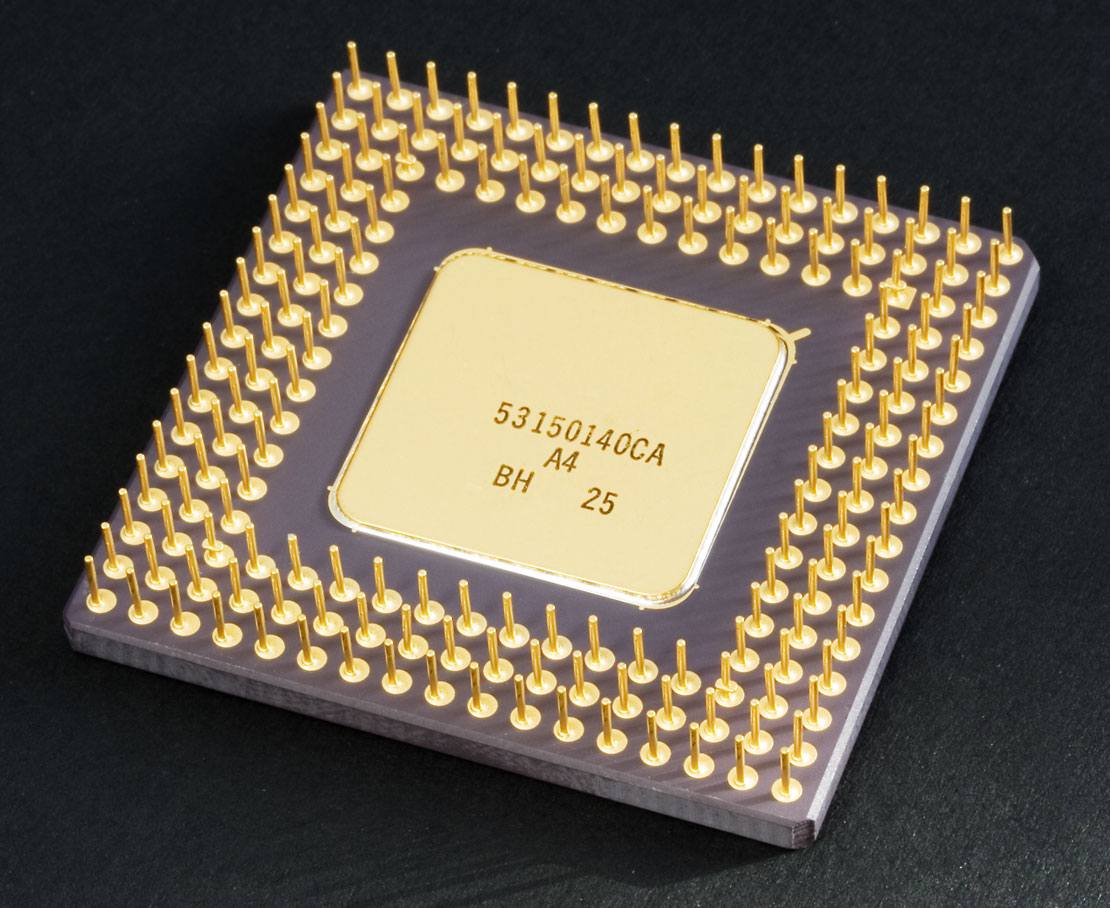
A Central Processing Unit (CPU) is hardware that is the brain of the computer. All instructions by programs running on the computer are processed by the CPU.


A user is someone who is currently using the computer or programs on the computer.

A programmer is someone who creates computer programs. Programs are created using programming languages. Some example programming languages are C, C++, Java, Perl, and Python.

Binary is a numerical system that contains only 1's and 0's and is the basis representing ``On'' and ``Off'' switches in computer circuits. This is what the computer understands and speaks as a native language. Most computers use the ASCII encoding scheme to represent characters. You can find a table of these values here. Fun: ``There are 10 types of people: those who understand binary and those who don't.''

Hex (short for hexadecimal) is a base-16 numerical system that contains the characters 0-9 and A-F. Fun: ``How many people read hex if only you and dead people read hex?''

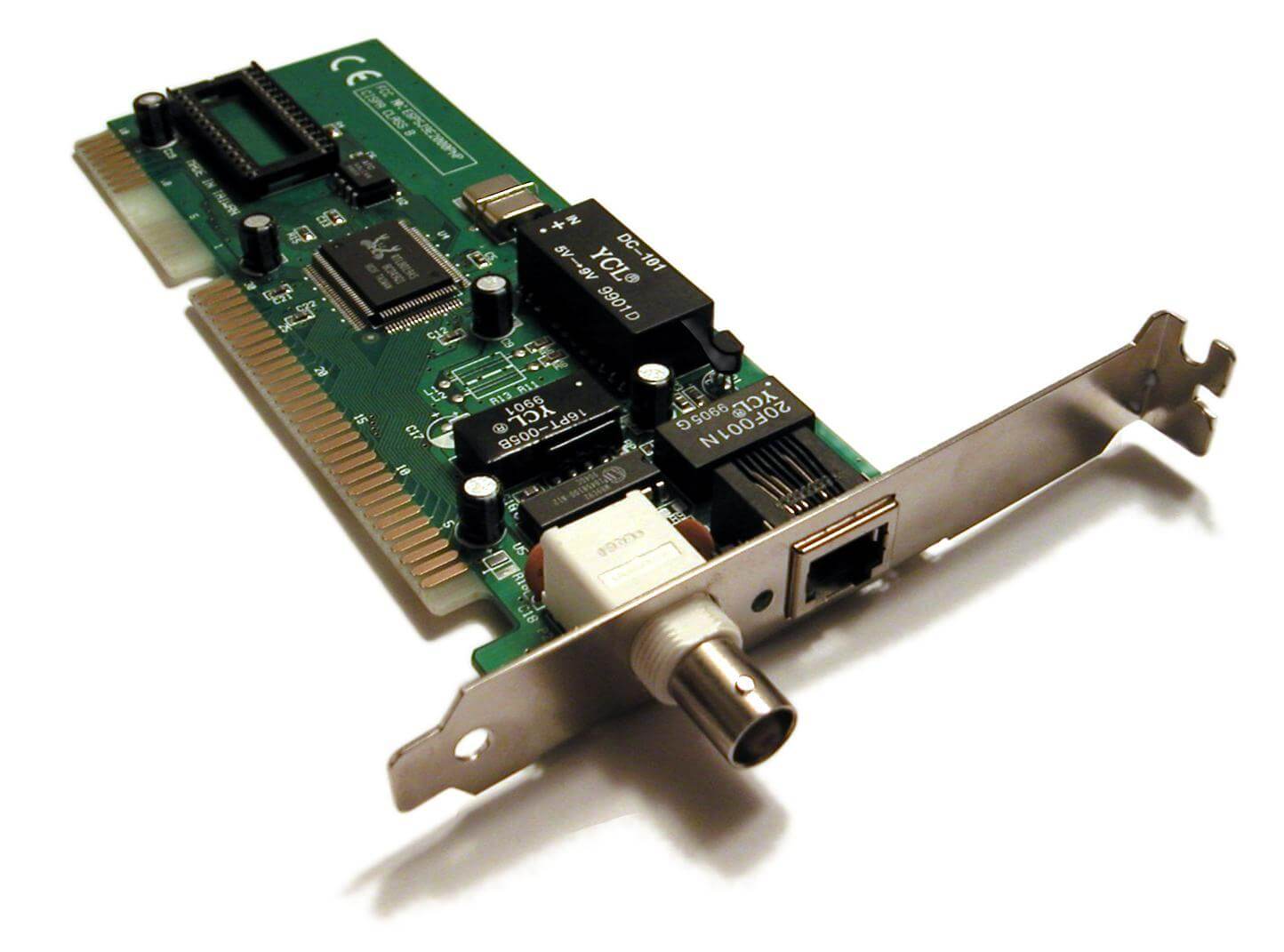
A Network Interface Card (NIC) is a piece of hardware that allows a computer to communicate on a computer network.


An Internet Protocol (IP) address is a numerical address for a computer on a network. An example of an IP address might be: 192.168.0.99

A Media Access Control (MAC) address is the hardware address of a computer on a network. It is assigned by the maker of the computer's NIC card. An example of a MAC address might be: 00:3G:2D:10:AF:7E

A Port is the result of a program on a computer that is connected to the network. This results in an ``opening'' on the computer to the network. There are 65536 ports numbered from 0 to 65535. Well known ports range from 0-1023, which means that we can usually tell which programs are running if we see these ports are open. This doesn't mean that these programs can't change ports, however, just that they normally run on these known ports. Here you can find a list of known port numbers.

Transmission Control Protocol (TCP) is a connection oriented network connection (like a phone call). For more information see Wikipedia.

User Datagram Protocol (UDP) is a connectionless network connection (like the mail). For more information see Wikipedia

Tuesday, September 9, 2008

Two network tools

nmap is a network scanner that you can use to audit your network. Here is a scan of a computer looking for open ports and Operating System:


# nmap -O 192.168.0.10

Starting Nmap 4.52 ( http://insecure.org ) at 2008-09-10 00:14 EDT
Interesting ports on 192.168.0.10:
Not shown: 1709 closed ports
PORT STATE SERVICE
135/tcp filtered msrpc
137/tcp filtered netbios-ns
138/tcp filtered netbios-dgm
139/tcp filtered netbios-ssn
445/tcp filtered microsoft-ds
MAC Address: 00:XX:XX:AA:99:44 (Intel)
Device type: general purpose
Running: Microsoft Windows 2003|XP
Too many fingerprints match this host to give specific OS details
Network Distance: 1 hop

OS detection performed. Please report any incorrect results at http://insecure.org/nmap/submit/ .
Nmap done: 1 IP address (1 host up) scanned in 15.992 seconds


Wireshark is a packet analyzer that you can use to see the packets of information coming in and out of your computer. It easily installs under Windows and Linux. Here we are using it to get the password and username from a fake myspace account:


Wireshark Fullscreen

Software Issues

Buffer Overflow: is an application error that occurs when more data is sent to a program than it is designed to handle. The attacker can use this to make the machine execute instructions that were not originally intended. Buffer overflows can be quite dangerous and are one of the most prevalent errors reported on security lists.

Here is a small example of a buffer overflow, but more often something like this example will not occur. The error will be exploited to do something more malicious, like to execute other commands on the machine.


Direct link

Examples: virtual mugging
Slammer Worm

Command Injection: occurs when input is passed directly to an interpreter. Here's a video example:


Direct link

Cross-site Scripting (XSS): occurs when an application running on a web server gathers data from a user in order to steal it.

Failure to handle errors: occurs when a program encounters a problem that it is not prepared to handle. It is up to the programmer to make the program handle all anticipated errors. The programmer should make sure that should the program encounter an error, that it report what the error was before it ends execution.

Failure to protect network traffic Since sensitive information (usernames, passwords, emails, chats) often crosses the network, care should be taken to protect it.


Wireshark Fullscreen

Failure to Store/Protect Data: programmers should keep secret information out of programs (passwords, keys, other sensitive information). Hard coded information can be extracted out of the executable if someone knows how to do this:


Direct Link

Failure to use cryptographically strong random numbers. If the numbers used to encrypt data are easy to guess, then cryptography is useless to hide the information.

Example: Debian OpenSSL

Format string problems occurs whenever the input to certain print functions is not sanitized before it is passed to the function. This could allow an attacker to figure out things about the program and where parts of it lie in memory.


Direct link

Neglecting change control. Developers must be sure that the working system given to a customer represents their intent and that all future updates are well tested and approved.

Improper file access. Users should not have access to sensitive files unless they are the administrators of the machine in question.

Improper use of SSL. If SSL is misconfigured it could allow access to data in an unencrypted state and dangerously give a false sense of security.

Information Leakage besides the direct human factor (``loose lips sink ships'') from a software point of view information could be inadvertently leaked as well. An example of this could be timing attacks. For example, suppose it takes a password authentication program x seconds if the user successfully enters his/her username and password, y seconds if the password is incorrect but the username is correct and z seconds if the username and password are both incorrect. From this, an attacker can indirectly verify the validity of a username and launch a more educated attack on the password system.

Integer bugs exists when an integer used as a variable to indicate the amount of memory is to be allocated is not checked before memory allocation.

Race conditions. Sometimes programs do not execute at the exact time that we think they should. Sometimes processes can stall or slow down while running. An attacker could take advantage of this by switching a file before it is accessed.

SQL Injection occurs when the attacker places commands into the input form that are then executed. It may be used to gain access to sensitive data, to delete data or for other means.

Trusting Network Address Resolution. Unfortunately as we learned earlier, it is not always a good idea to trust protocols like ARP and DNS. We learned that there exist flaws in these protocols that could allow an attacker to insert himself/herself in the middle of the conversation. Here is a video of DNS spoofing.

Unauthenticated Key Exchange. If you do not authenticate the entity with which you are obtaining the key, there is no way to verify its identity.

Use of magic URLs and hidden forms. Unfortunately sometimes a URL contains sensitive information that should not be there. This can be observed by an attacker as the http request goes by. Even though a hidden form might be used by a webprogrammer, an attacker can simply view the source of the webpage in order to gain the sensitive information.

Use of weak password-based systems. If the password is easy to guess, what's the point?


Direct link

Finished product (3 min later)

Tuesday, September 2, 2008

9/3/08: Notes and Personal Security

Since my Blackboard account is slow in coming, I will have to put Power Point slides up online for now. You can find today's here.

Extras:
Social Engineering

We will discuss Social Engineering in the class and also talk a little about one of the best known social engineers. Here is a video on how to social engineer a free pizza:


The Social Engineering Panel at The Last HOPE


C|Net article on this panel

Pretending to be something you aren't

We will discuss an article from wired about a mole from the media who attended Defcon. The organizers suspected that she was in fact a reporter, in spite of the fact that she refused to buy the media pass instead of the regular one. She was hoping to out agents and others doing ``illegal activities'' and even commented on
How the people in Kansas would be interested in what takes place [at such events].


She then made the mistake of telling others her intent and revealing her hidden camera, so her unveiling was inevitable:


Phishing

We will also discuss Phishing, which is a type of social engineering. Here is a Phishing IQ test so you can see how tricky some of these guys can be.

We will take a look at a fraudulent email I received and a whois lookup to see which country the email is coming from. This is a Nigerian Letter or 419 fraud letter. There is a website called 419eater that is dedicated to fighting these fraudsters.

Bullying

Megan Meier was a teenager with some teenage problems who was duped by some ``friends'' including the mother of one of these friends. They had created a fake profile of a teenage boy and engaged in conversation with Megan. Eventually, they started to harass Megan with the fake profile and she took it rather badly and killed herself.

Here are some articles:

http://www.news.com/8301-13860_3-9819394-56.html
http://blog.wired.com/27bstroke6/2007/11/blog-readers-ou.html
http://blog.wired.com/27bstroke6/2007/11/megan-meier-sui.html

Some readers became so outraged that they outed the adults that had duped Megan and posted not only their names, but places of business, phone number and address. Then one of the bloggers who had outed them got outed herself:

http://www.wired.com/politics/onlinerights/news/2007/11/vigilante_justice

An even odder turn in the case, is that of a blog that surfaced as a comment in another article called ``Megan Had it Coming.'' The writer of the blog at some point ``confessed'' to being Lori Drew, or the mother of the child who was friends with Megan, and had harassed her to her death.

http://www.dvorak.org/blog/?p=14913
http://sigmundcarlandalfred.wordpress.com/2007/11/19/megan-the-bitchhad-it-coming-or-how-to-kill-a-child-twice/
http://www.cnn.com/2007/US/12/08/internet.suicide.ap/index.html

The blog was posted here:

http://meganhaditcoming.blogspot.com/

It was recently revealed that the blog was a creation of an Internet Troll.